
Scheduling export of loads to Manifest app
It is now possible to schedule the automatic dispatch of loads to the driver’s Manifest app from within Go TMS.
This feature allows all planned loads for a selected day to be sent in one batch at a defined time, which is particularly useful in environments where loads change throughout the day. By scheduling the send, you can ensure drivers consistently receive the most up-to-date information while reducing the risk of any loads being missed.
The feature is enabled via the My Business settings, where you define the time of day the loads will be sent. The scheduled time determines which day’s loads are dispatched—for example, evening sends (e.g. 9:00 PM) are typically used for the next day’s work, while early morning sends (e.g. 5:00 AM) apply to the same day.

At the scheduled time, all loads for the selected day are automatically sent. Loads that have already been manually sent and not modified are not resent, avoiding duplication.
This automation saves time, improves accuracy, ensures consistent communication with drivers, and reduces the risk of missed or duplicate loads.
Simple Input
For hauliers who do not need some of the more advanced features of the Go TMS, we have added some simpler versions of the most used forms.
They are available in their own sub-menu and can be added as favourites for quick access.
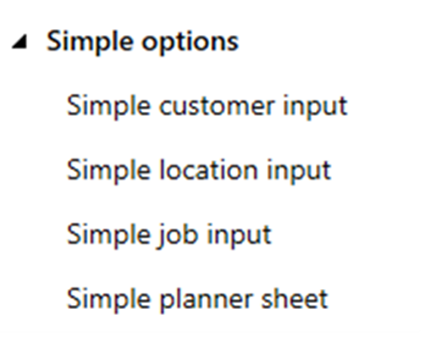
It is not a case of having to use all or none of the new simple forms. They all create the same records as the original versions. For instance, you could just use the simple job input if you want a slimmed down version for quick input and the jobs it creates can still be planned on the original job planners.
Simple Customer Input
This form can be used to quickly create a customer using just the most basic information – name, address, VAT code and primary contact.
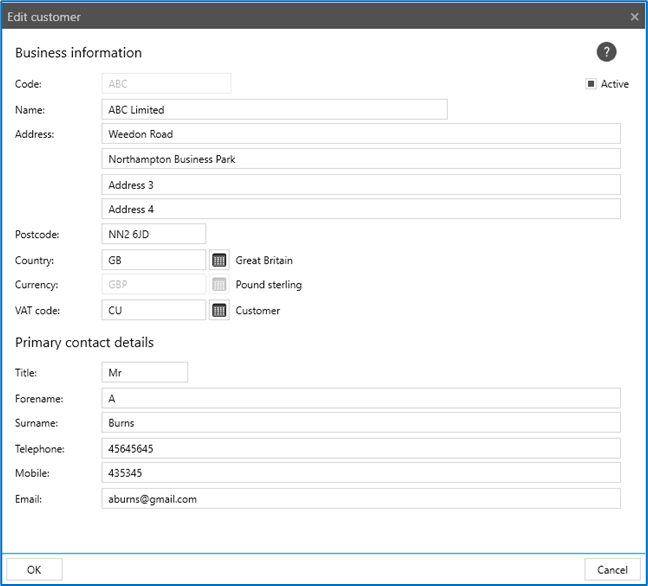
Note: An invoice email address will be added soon if invoices need to be emailed.
All of the other tabs (contacts, haulage, financial, documents etc.) are hidden to make the input less cluttered and daunting.
It will still create a fully usable customer record, which can be edited using the original, more detailed customer form.
Simple Location Input
The simple location form will create a location with just a description, address and location marker.
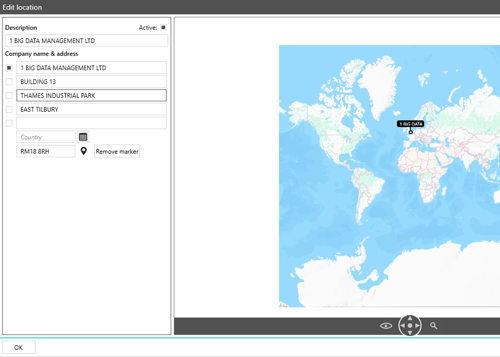
All the geofencing, contacts, waste handling and pallet networks options etc. are hidden to make the input less cluttered and daunting.
It will still create a fully usable location, which can be edited using the original, more detailed location form.
Simple Job Input
The simple job list will always open to show the jobs with a collection or delivery date within a date window three days before and after the current date. The date window can be moved back or forward using the calendar buttons.
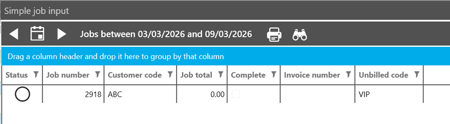
The clutter of all of the other buttons has been removed apart from:
- The print button to allow delivery notes etc. to be printed
- The binocular button to allow a quick search by job number, order number, invoice etc.
- The zoom button, to allow the list to be sized
- The spanner button, to allow the columns displayed on the grid to be changed.
- The copy button to allow a job to be copied
- The return job button to create a copy of a job with the delivery and collection reversed.
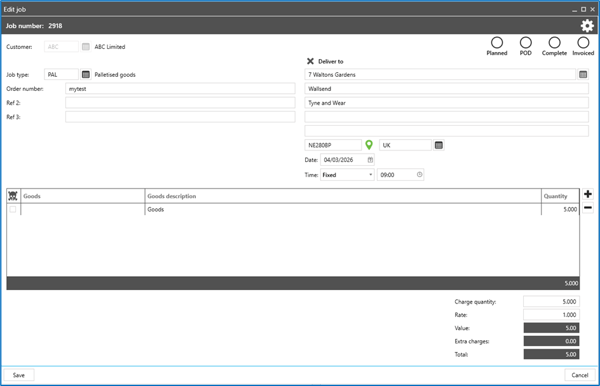
When a job is added or edited using the simple input form, much of the complexity is not shown.
There are no stages, the job will be created with a single, full move stage.
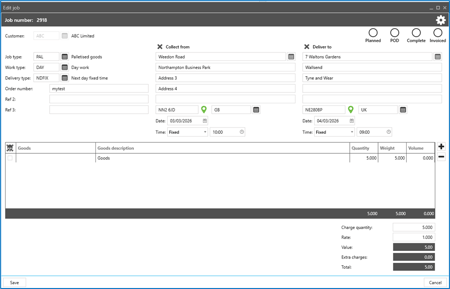
Rate tables and other charging settings are not shown, they will all default to My business or customer settings.
There are no extra charges, documentation or additional data tabs.
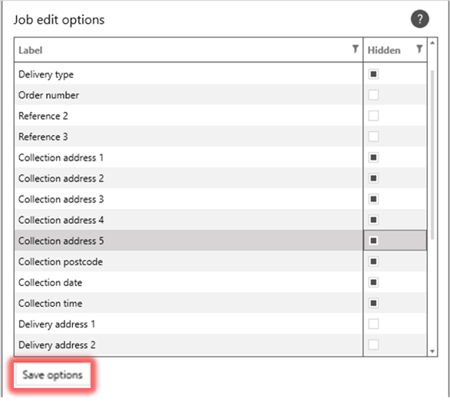
It is also possible to further simplify the job input form by hiding fields that are not required. Using the cog button at the top of the edit form, turn off fields that are not wanted and click Save.
Simple Planning
For those who want to plan jobs using a simple spreadsheet design, the simple planner sheet will display jobs for a single selected date. The vehicle, driver, trailer and subcontractor can be selected using dropdown selections in columns on the sheet.

The Cog button can be used to control which of the vehicle, driver, trailer or subcontractor columns are visible on the grid.
The spanner button is used to control which job columns are displayed and in which order.
In the background, when jobs are assigned to vehicles etc., they are built into loads, so jobs that are planned on the planner sheet can still be viewed on the full Go job planner as usual.
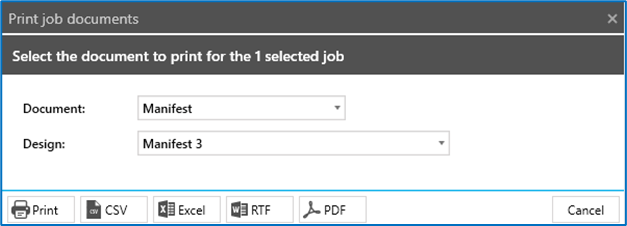
The print button can be used to print documents for the selected jobs, including printed manifests.
NOTE: The simple planner sheet cannot send loads to the driver’s manifest app, so it is not suitable for hauliers whose drivers use the app.
4-weekly repeats of Job Templates
A new option has been added to repeatable job templates to allow the repeats to occur in 4 weekly intervals.

Previously, the simple repeat option only allowed weekly, monthly and fortnightly repeat periods.
Integrated Tool Kit
App Marketplace









Integrations
